How to Implement AI Automated Financial Reporting: A 6-Step Guide for Finance Teams in 2026
Learn how to automate financial reporting with AI in 6 steps. Reduce month-end close by 60%, cut errors by 90%, and transform your finance team in 2026.
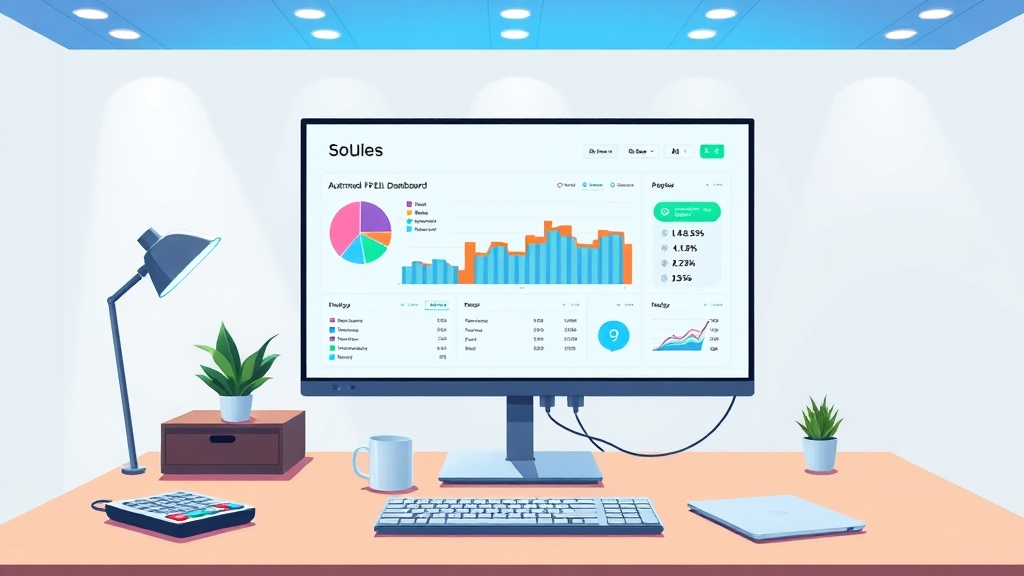
If your finance team still spends three to five days on month-end close, wrestling with spreadsheets full of hidden formula errors, you already know how broken the reporting cycle is. It's not just the lost time — it's the erosion of trust in the numbers and the missed opportunity for your team to focus on strategic thinking.
McKinsey found back in 2023 that AI could automate up to 60% of finance-related reporting tasks. That's not some distant promise; it's a real, achievable benchmark right now. So if you're a finance operations manager, CFO, or VP of Finance looking into AI automated financial reporting for finance teams, this guide is designed for you.
You'll learn exactly how to automate financial reporting with AI in six practical steps — from auditing your current workflow to measuring ROI. The language is meant to win sign-off from your CFO, data team, and stakeholders alike. You'll need access to your current reporting workflows, stakeholder buy-in, and a realistic timeline of two to four months to see initial results.
> What is AI automated financial reporting?: AI automated financial reporting uses machine learning models and natural language processing to replace manual spreadsheet-based reporting. Instead of human analysts spending days reconciling data and building P&L statements, AI connects directly to live data sources (ERPs, bank feeds, CRMs) to generate accurate, real-time reports, dashboards, and forecasts automatically.
Step 1: Audit Your Current Reporting Workflow for AI Automated Financial Reporting
Start by mapping every data source that feeds into your month-end close — your ERPs (NetSuite, SAP, or whatever you use), plus bank feeds, CRM, payroll systems, and the endless spreadsheets your team uses to bridge gaps. Track how many hours each step takes.
This audit ensures your AI automated financial reporting for finance teams hits the highest-impact bottlenecks first. You'll likely find that manual reconciliation alone takes three to four days. Data aggregation adds another one to two days. Variance analysis eats up another one to two days. Those are your automation targets.
> Why is an audit necessary before automating financial reporting?: An audit prevents you from automating a broken process. According to the U.S. Bureau of Labor Statistics, finance and accounting roles spend roughly 30% of their time on manual data entry and reconciliation. By auditing your workflow first, you identify the exact steps consuming the most hours and causing the most errors, ensuring your AI implementation targets the highest-ROI bottlenecks first.
Before you change anything, capture three baseline metrics: hours per close cycle, error rate (what percentage of reports need corrections), and cost per report. This data becomes the foundation for your ROI calculation down the line. The McKinsey stat from 2023 that AI can automate up to 60% of finance-related reporting tasks gives you a benchmark — your audit determines which 60% applies to your team. A typical outcome from this phase is a prioritized list of automation opportunities with hour-savings estimates. For finance teams considering month-end close automation, this audit phase delivers the concrete business case you need to secure stakeholder buy-in. The question "Where do I start?" becomes easy to answer: start where it hurts most.
Step 2: Choose Between Off-the-Shelf Software and a Custom AI Financial Reporting System
The build-versus-buy decision comes down to three things: data complexity, compliance requirements, and how deeply you need to integrate with existing systems.
If your infrastructure runs on standard ERPs like QuickBooks, Xero, or NetSuite with common bank feeds and no exotic data sources, an off-the-shelf AI financial reporting software in 2026 might work well. These tools deploy fast and cost less upfront.
But if your ERP has unique data structures, you manage multi-entity consolidation, or you face complex revenue recognition rules and strict SOC 2 (Service Organization Control 2) or ISO 27001 (international standard for information security management) requirements, a custom AI financial reporting system is usually the better bet. Off-the-shelf connectors force your team to bend its workflow to the tool's limits. A custom system bends to your workflow instead. If your ERP has unique data structures, a custom AI financial reporting system may be more effective than off-the-shelf connectors that require you to adapt your workflow to their limits.
Clearframe Labs builds custom data pipelines — the essential financial data integration layer — that connect to your existing infrastructure, exactly what finance teams need when off-the-shelf tools come up short. Plan for one to two weeks for API integrations and four to six weeks for custom ETL (Extract, Transform, Load) pipelines.
> Pitfall alert: Beware of vendors promising "plug and play" for every system. True AI financial reporting depends on data quality — and many organizations don't have that on day one.
| Decision Factor | Off-the-Shelf AI Reporting | Custom AI Reporting System |
|---|---|---|
| Best for | Standard ERPs (QuickBooks, Xero, NetSuite) | Unique data structures, multi-entity consolidation, complex compliance needs |
| Deployment Time | 2-4 weeks | 6-12 weeks |
| Upfront Cost | Lower (subscription-based) | Higher (development + integration) |
| Flexibility | Limited to vendor features | Fully tailored to existing workflows |
| Compliance (SOC 2, SOX) | Vendor-dependent; may require workarounds | Built to specification from day one |
| Scalability | May require upgrades or tier changes | Grows with organizational complexity |
AI-powered reconciliation automatically matches transactions across ledgers, bank statements, and invoices using pattern recognition. Deloitte reported in 2023 that this approach can reduce errors by up to 90% compared to manual checks.
The AI vs manual financial reporting benefits really show up when you compare speed. The benefits of AI vs manual financial reporting become clear when you compare reconciliation speed: AI reduces errors by up to 90% compared to manual spreadsheet checks (Deloitte, 2023). Manual reconciliation takes days; AI does the same work in hours. It automatically matches transactions, flags exceptions, and learns from your team's corrections. It handles bank reconciliation, inter-company matching, and invoice-to-PO (Purchase Order) matching.
> How does AI-powered reconciliation differ from traditional rule-based matching?: Traditional reconciliation relies on static rules (e.g., "match invoice amount to PO amount"). AI-driven systems, however, use pattern recognition and machine learning to match transactions that have variable amounts, dates, or descriptions. This allows AI to learn from past corrections, reducing false positives and catching exceptions that rigid rules would miss. Practitioners report that this approach dramatically reduces the time spent on large-volume matching.
What used to take three to four days now takes two to three hours. Automated reconciliation also lowers audit risk by maintaining a complete, time-stamped trail of every match and exception, reducing audit risk by maintaining a complete, time-stamped trail of all matches and exceptions. One Clearframe Labs client in healthcare cut reconciliation time from four days to 90 minutes during month-end close. That freed senior analysts to focus on variance analysis instead of cell-by-cell checking.
Step 4: Build AI-Powered Dashboards That Deliver Real-Time Financial Insights to Your FP&A Teams
AI-powered dashboards replace static reports with live, queryable financial views that update in real time. They use natural language processing (NLP) to automatically explain variances.
AI accounting automation for FP&A teams means analysts spend less time pulling data and more time interpreting it — the difference between asking "What happened last month?" and "What will happen next quarter?" Your finance team can stop hunting for the month-end batch and start asking what the real-time data actually reveals.
> What is the primary benefit of AI dashboards over static reports?: The primary benefit is a shift from historical reporting to real-time, forward-looking analysis. Traditional reports take days to produce and only show what has happened. AI dashboards update in real-time and allow users to ask questions in natural language (e.g., "Why did COGS spike in March?"), prompting the system to offer both the data and a root-cause explanation. This empowers finance teams to move from data custodians to strategic partners.
These real-time dashboards let users ask things like "Show me revenue variance by region for Q2 2026" — and get both a chart and a written explanation. The AI flags unexpected changes, explains drivers, and surfaces root causes. For FP&A teams, shifting from backward-looking reports to forward-looking dashboards is the single highest-value outcome of AI-driven reporting. For FP&A teams, the shift from backward-looking reports to forward-looking dashboards is the single highest-value outcome of AI automated financial reporting.
> Pitfall alert: Resist the urge to build 50 dashboard views on day one. Start with three or four critical KPIs — cash position, revenue by product line, margin by department — and expand as your team builds trust in the system.
Step 5: Deploy Predictive AI Models for Real-Time Financial Forecasting and Scenario Planning
AI forecasting models analyze historical patterns, market signals, and external data to generate rolling 12-month forecasts that update automatically as new data arrives. Static spreadsheet models simply can't do that.
AI financial reporting cost savings typically land at 20-30% within 12-18 months of implementation, according to Accenture's 2023 research. Those savings come from both reduced manual labor and better decision-making enabled by accurate forecasts.
> How does scenario modeling with AI improve upon traditional financial planning?: Traditional scenario planning is a manual, time-consuming process that often takes weeks. AI enables on-demand "what-if" analysis, allowing finance leaders to ask for specific scenarios (e.g., "Run a recession scenario with a 12% revenue decline") and receive probability-weighted results in minutes. This shifts scenario planning from an annual or quarterly exercise to a continuous, strategic competency, improving organizational agility.
AI uses time-series models, regression, and ensemble methods to power forecasting — including predictive financial forecasting models. For scenario modeling, a finance leader can ask "Run a recession scenario with a 12% revenue decline" — and get results with probability weightings in minutes. That shifts scenario modeling from an annual exercise to a weekly strategic review. The real value isn't just cost savings — it's reducing the risk of bad decisions based on stale data. Clearframe Labs' custom forecasting solutions let finance teams run these complex "what-if" analyses without needing a full data science team.
Step 6: Set Up AI Governance, SOC 2 Compliance, and Team Training for Sustainable AI Financial Reporting
AI financial reporting needs three governance pillars to work long-term: complete audit trails for every AI-generated number, data access controls that align with SOC 2 requirements, and team training so your finance staff understands what the AI is doing — and knows when to override it.
For AI financial reporting for finance teams in Austin, Clearframe Labs offers on-the-ground consulting tailored to your existing compliance framework — whether you're already SOC 2 certified, SOC 1 audited, or building compliance from scratch. Every AI-generated number must be traceable to source data, and role-based access controls must dictate who can see what and who can override AI decisions.
AI governance essentials include model monitoring to track accuracy drift and retrain as needed. Role-based access controls determine who can see what and who can override AI decisions.
> How do you ensure AI financial reports are audit-ready?: A well-governed AI system maintains a complete, time-stamped audit trail. This includes a "data lineage" map that traces every number in a final report back to its source transaction, and logs of every AI-generated calculation and human override. Implementing these controls aligns with frameworks like the COSO (Committee of Sponsoring Organizations of the Treadway Commission) Internal Control-Integrated Framework, which is foundational for SOC 2 compliance.
"Is AI financial reporting SOC 2 compliant?" Yes — when implemented with proper access controls, encryption, and audit logging, ensuring SOC 2 compliance from the start. Custom systems can meet SOC 2 Type II requirements from day one.
Your finance team doesn't need to become data scientists, but they do need AI literacy. Clearframe Labs offers an AI Academy with courses designed specifically for finance professionals.
> Pitfall alert: The most common failure mode isn't technology — it's teams that don't trust the AI outputs. Invest in training up front, or your dashboards will gather digital dust. Well-governed AI systems deliver sustainable cost savings; poorly governed ones create audit risk and erode stakeholder trust.
Frequently Asked Questions
1. How long does it take to implement AI for financial reporting?
A full implementation typically takes two to four months. The audit and planning phase takes 2-3 weeks, the build phase (custom or off-the-shelf) takes 4-8 weeks, and the training and go-live phase takes another 2-3 weeks.
2. What is the estimated ROI for AI automated financial reporting?
Industry research suggests finance teams see a 40-60% reduction in month-end close time within the first few months, with full cost savings of 20-30% typically realized within 12-18 months of implementation.
3. Is AI automated financial reporting secure for SOC 2 compliance?
Yes. When built with proper role-based access controls, encryption at rest and in transit, and complete audit logging, a custom AI system can meet SOC 2 Type II requirements from day one. You should always verify a vendor's attestation for off-the-shelf tools.
4. What data sources can be connected to an AI financial reporting system?
Most modern systems connect to any data source with an API, including major ERPs (NetSuite, SAP, Oracle, QuickBooks), bank feeds, CRMs (Salesforce, HubSpot), payroll software (ADP, Gusto), and even flat-file spreadsheets or legacy databases via custom pipelines.
5. Will my finance team be replaced by AI?
No. The goal of AI automation is to remove manual, repetitive data entry and reconciliation tasks. This frees up your finance team to focus on higher-value work like variance analysis, strategic planning, and providing decision support to the business.
6. How do I get started with a proof of concept (PoC)?
Start by mapping your highest-pain reconciliation process. Choose a specific, measurable scope (e.g., "automate bank reconciliation for our main operating account"). Then, partner with a consultancy that can build a focused prototype in 2-4 weeks to demonstrate the value before scaling.
Conclusion: Measure Your AI Financial Reporting ROI and Take the Next Step
Finance teams that follow this six-step framework typically see measurable results within two to four months — starting with a 40-60% reduction in month-end close time. Full ROI of 20-30% cost savings usually hits within 12-18 months (Accenture, 2023).
AI automated financial reporting for finance teams isn't just about saving time. It's about transforming your department from a cost center into a strategic partner. The question isn't whether AI will transform financial reporting — it's whether your team will lead that transformation or get disrupted by it.
Ready to map your current workflow against this framework? To learn more about how Clearframe Labs can help you navigate the build-or-buy decision and build a custom AI reporting system tailored to your exact data environment — whether you're in Austin, Boston, or Boise — visit their site.
[Get Your Custom Implementation Roadmap]