AI-powered photo editing software for studios
Discover how custom AI photo editing software boosts studio efficiency by 60%+ and delivers measurable ROI. Learn key features, integration, and development for 2026.
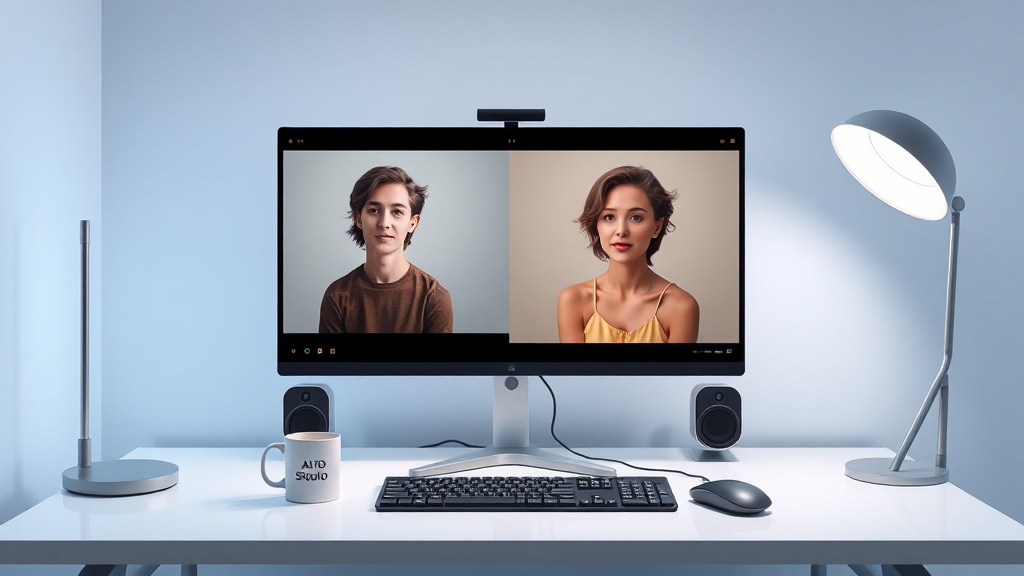
Custom AI Photo Editing Software for Studios: The 2026 Guide to Efficiency & ROI
Photography studios face unprecedented pressure. Clients demand faster turnarounds while meticulous post-production still consumes days of valuable time. Every hour spent culling images or applying repetitive edits is an hour lost for creative work, client relationships, or business growth. Off-the-shelf AI editors offer some relief, but they often force studios to compromise their unique style to fit the tool’s limitations.
The real breakthrough—delivering transformative efficiency, unwavering brand consistency, and a stronger financial return—doesn’t come from adopting a common tool. It comes from building your own. This guide is for studio owners and creative leaders who see their post-production workflow not as a necessary chore, but as a core business engine. We’ll explore why investing in custom AI photo editing software for studios is the strategic move that turns basic automation into a lasting competitive advantage, delivering measurable ROI and future-proofing your studio for 2026 and beyond.
What Percentage of Time Can AI Save in Photo Editing?
How much time can you really save? For photography studios, the numbers are compelling. Industry data, including studies from groups like the Professional Photographers of America (PPA), shows that post-production can consume 50% or more of the total time spent on a client project. We’re talking days of work, not hours.
AI-driven tools tackle this time sink head-on, with the potential to reclaim 60% or more of editing time when implemented well:
1. Automated Culling & Sorting: Reviewing hundreds or thousands of RAW files is a massive undertaking. AI can analyze composition, focus, expressions, and technical quality in seconds, surfacing the best shots and weeding out duplicates or errors. What used to take a full day can now be done in a couple of hours.
2. Batch Basic Corrections: Repetitive adjustments—exposure balancing, white balance correction, lens profile fixes, initial color grading—can be applied uniformly across an entire shoot with one click. AI delivers consistency without fatigue.
3. Advanced, Style-Aware Edits: This is where generic tools hit a wall and custom solutions shine. Sophisticated AI can handle complex retouching like skin smoothing, sky replacement, or object removal by learning your studio’s specific aesthetic. It applies your “look” consistently, whether that’s a bright, airy wedding palette or a moody commercial tone.
These time savings aren’t just theoretical. But the full 60%+ efficiency gain typically only materializes when the AI isn’t a general-purpose editor. It must be a system finely tuned to your workflow, your output standards, and your brand’s identity.
Direct Answer: A custom AI photo editing system can save photography studios 60% or more of their post-production time. This is achieved by automating repetitive tasks like culling, basic corrections, and applying the studio's unique style consistently across an entire shoot. The key is a system trained exclusively on the studio's own edited work, not a generic off-the-shelf tool.
AI Photo Editor vs. Custom AI Development: The Critical Choice for Scaling Studios
When studios first explore AI, they typically look at popular subscription-based AI photo editor platforms. Tools like Adobe Sensei or Luminar Neo offer an accessible starting point with smart features that can speed up certain tasks. But for a studio focused on scaling, protecting its brand, and managing long-term costs, this “one-size-fits-all” approach quickly shows its limits. That’s where custom AI development becomes the clear strategic upgrade.
The Problem with Off-the-Shelf AI Editors
Mass-market AI editors are built for the broadest audience possible. Their models are trained on generic datasets, which means they often miss the nuances of your studio’s signature style. You end up bending your workflow to fit the tool, not the other way around. Then there are the ongoing subscription fees, which scale with your usage and never stop. Worst of all, you own none of the technology—and none of the data used to improve it. Your creative process is tied to a third party’s roadmap, pricing changes, and data policies.
Why a Custom-Built Solution Changes the Game
Custom AI photo editing software flips the script entirely. It’s an asset you own, built to your exact specifications. The core AI model is trained exclusively on your past edited work, learning to replicate your color grading, retouching touch, and compositional preferences with remarkable accuracy. It can integrate seamlessly with your existing studio software—your CRM, gallery platforms, accounting tools—creating a unified, automated pipeline.
This is the essential choice: a rented, generic tool versus a proprietary, strategic asset. One is an ongoing expense. The other is an investment that grows in value as it learns and as your business expands.
Direct Answer: The critical choice for scaling studios is between a generic AI photo editor and custom AI development. Off-the-shelf tools like Adobe Sensei are rented subscriptions that force workflow compromise, while a custom solution is a proprietary asset trained on the studio's own style. Custom AI development provides ownership, seamless integration, and a model that appreciates in value, turning post-production into a scalable competitive advantage.
Building Your Proprietary Edge: Key Features of a Studio-Custom AI Tool
What does this proprietary asset actually do? A bespoke AI system for a professional studio acts less like a filter and more like an intelligent production partner. Here are the core features that deliver real efficiency and quality control:
* Intelligent, Style-Aware Automated Culling: The system doesn’t just find technically sound images; it learns to identify the shots that best reflect your studio’s artistic voice—the perfect moments, expressions, and compositions you would choose yourself.
* Batch Style Application & Replication: This is the heart of brand consistency. The AI analyzes your curated “look” from a set of reference edits and applies it uniformly across an entire shoot’s selects, ensuring every client gallery is unmistakably yours.
* Advanced Object-Aware Editing: Move beyond global adjustments. A custom tool can be trained to handle specific, complex retouching tasks automatically—enhancing skin texture while preserving detail, replacing skies with a consistent style, removing background clutter—all according to your established standards.
* Secure, Controlled Processing: For studios handling sensitive client work (weddings, corporate portraits, commercial campaigns), data privacy is non-negotiable. A custom solution can be deployed on your local servers or a private cloud, ensuring client images never leave your controlled environment, unlike with public cloud-based SaaS editors.
How Do You Integrate AI into Existing Photography Workflows?
The real power of AI isn’t just doing tasks faster—it’s redesigning the entire workflow to remove bottlenecks. Integration is everything. A well-built custom AI tool shouldn’t be a standalone app; it should become the connective tissue that automates the journey from capture to delivery.
Imagine a transformed workflow:
1. Ingest: RAW files are uploaded directly to a monitored folder.
2. AI Cull & Sort: Your custom AI instantly analyzes the batch, ranks images, and presents a curated selection based on your style.
3. AI Base Edit: With one click, the entire selection receives your studio’s signature base corrections and style application.
4. Human Fine-Tune: Editors are freed from repetitive work to focus solely on creative polish, complex composites, and final client-specific adjustments. This step becomes faster and more focused.
5. Client Delivery: Edited finals are automatically pushed to your gallery platform, and notifications are sent via your CRM.
This seamless flow is powered by API integrations. Your custom AI tool can “talk” to your studio management software, gallery hosts, and client portals, turning a linear, manual process into a parallel, scalable assembly line. The goal is to make editing a background, automated function, freeing your team’s talent for high-value creative and client-facing work.
Direct Answer: Integrating AI into an existing photography workflow involves using API integrations to connect a custom AI tool directly to studio software like CRMs and gallery platforms. The AI automates the ingest, culling,and base editing steps, creating a parallel, automated pipeline. This transforms a linear, manual process into a scalable system where human editors intervene only for creative fine-tuning and final client-specific adjustments, maximizing both efficiency and creative output.
What is the ROI of Custom AI Software for a Photography Studio?
The investment in custom AI development is significant, so understanding the return is crucial. The ROI extends far beyond simple time savings; it impacts revenue, capacity, and brand equity.
* Direct Cost Savings: Calculate the hours saved per project (e.g., 60% of post-production time) multiplied by your hourly editing rate. For a studio handling 50 projects a year, this can translate to tens of thousands of dollars in recovered labor costs annually, quickly offsetting development expenses.
* Increased Revenue Capacity: By dramatically reducing editing time, you can handle more clients per month without increasing staff or sacrificing quality. This directly scales your top-line revenue.
* Premium Brand Positioning: Unwavering consistency and faster turnarounds become key selling points. You can command higher prices for a premium, efficient service that generic competitors cannot match.
* Asset Appreciation: Unlike a subscription fee that vanishes, your custom software is an appreciating asset. Its model improves with more data, and the system itself adds value to your business if you ever decide to sell.
* Reduced Operational Risk: Owning your tool eliminates dependency on third-party price hikes, feature changes, or service discontinuations.
Direct Answer: The ROI of custom AI software for a photography studio includes direct labor cost savings, increased client capacity and revenue, stronger brand equity for premium pricing, and the creation of a valuable business asset. The investment typically pays for itself within 12-24 months through these combined financial and strategic benefits.
The Path to Your Custom Solution: Development, Training, and Integration
Building a custom AI system is a collaborative process, not a one-time purchase. Here’s what a realistic path looks like:
1. Workflow Audit & Goal Setting: A developer will first map your exact post-production pipeline to identify the highest-impact automation opportunities—whether it's culling, color grading, or retouching.
2. Model Development & Training: The core AI model is built and then trained on your library of previously edited "before and after" images. This is how it learns your unique style. The quality and consistency of your training data directly determine the system's output quality.
3. System Integration: The tool is integrated into your existing tech stack via APIs, creating the automated workflow described earlier.
4. Iterative Refinement: The system is tested and refined. You provide feedback on its outputs, and the model is further tuned. This phase ensures the AI acts as a true extension of your team.
Conclusion: Is 2026 the Year to Build Your AI Advantage?
The photography industry's competitive landscape is being reshaped by AI. In 2026, the dividing line will not be between studios that use AI and those that don't—it will be between studios that use generic, rented tools and those that own a proprietary AI system tailored to their brand.
Custom AI photo editing software represents the ultimate strategic investment for a serious studio. It transforms the largest cost center—post-production labor—into a scalable, consistent, and efficient engine. It protects your creative signature, secures your client data, and builds tangible business value.
The question is no longer if AI will change your workflow, but how. By choosing a custom-built path, you ensure that change delivers not just efficiency, but ownership, consistency, and a definitive market advantage for years to come.