AI chatbots for purchase order automation tutorial
Step-by-step tutorial to implement an AI chatbot for purchase order automation. Learn the blueprint, ROI, and key features for procurement in 2026.
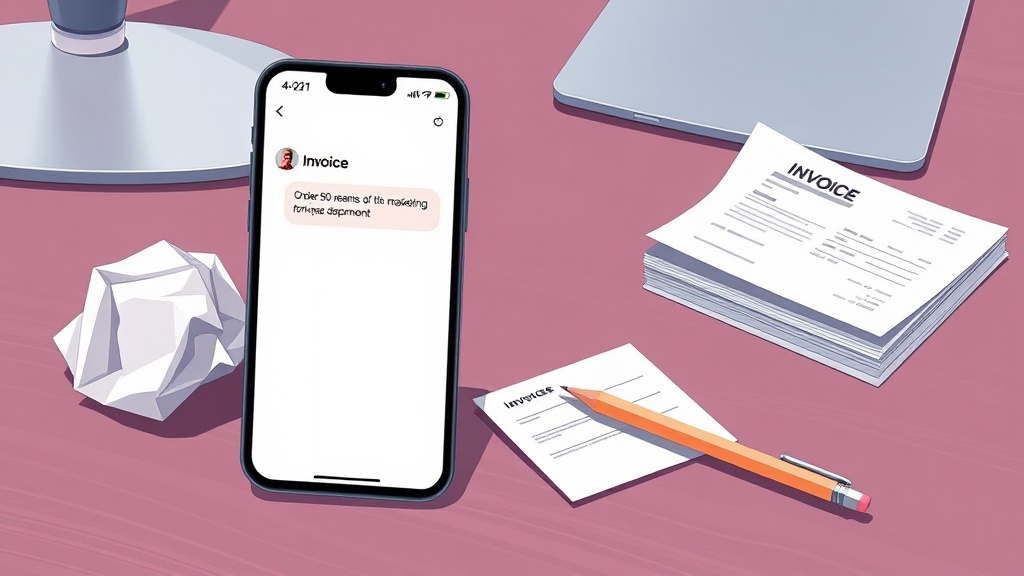
How to Implement an AI Chatbot for Purchase Order Automation: A 2026 Tutorial
For procurement teams, fleet managers, and purchasing directors, the purchase order (PO) process often feels like a necessary evil—a tangled web of manual data entry, approval bottlenecks, and frantic email chains. The result is delays in getting critical supplies, costly errors from manual input, and the constant risk of maverick spending that blows budgets. These inefficiencies aren't just frustrating; they're a direct drag on profitability and operational agility.
Imagine if your team could simply ask for what they need and have the system handle the rest. That's the promise of conversational AI. An AI chatbot for purchase order automation is no longer a futuristic concept; it's a practical, deployable solution that turns procurement from a cost center into a strategic asset. This guide is your actionable tutorial for 2026, moving beyond the "why" to deliver a clear blueprint for the "how." We'll walk through the implementation journey, demystify the technology choices, and frame everything around the tangible ROI and efficiency gains that make this investment a compelling business decision.
Direct Answer: What is an AI Chatbot for Purchase Order Automation?
An AI chatbot for purchase order automation is an intelligent conversational agent that uses natural language processing (NLP) and machine learning to understand user requests, execute end-to-end procurement workflows, and interact with enterprise systems like ERP and inventory software. It transforms unstructured verbal or text requests—such as "Order 50 notebooks for the Q3 conference under $500"—into compliant purchase orders by validating budgets, checking vendor lists, and routing for approvals, all within a single interface like Microsoft Teams or Slack.
Why Are AI Chatbots Revolutionizing Procurement in 2026?
The traditional procurement workflow is ripe for disruption. Manual processing is notoriously slow, error-prone, and opaque. Teams waste countless hours chasing approvals, reconciling invoices against POs, and manually keying data into ERP systems. This isn't just an operational headache; it's expensive. The hidden costs include labor, delayed projects, penalty charges for late orders, and the financial leakage from non-compliant spending.
Enter the AI-powered procurement chatbot. This isn't a simple FAQ bot. It's an intelligent agent that understands natural language, accesses real-time data, and executes complex workflows. Its core benefits are reshaping operations:
* 24/7 Processing & Instant Accessibility: Whether a marketing manager needs to order swag for an event at 8 PM or a maintenance technician discovers a broken part on a Saturday, the chatbot is always available to initiate a request, speeding up cycle times dramatically.
* Drastic Error Reduction: By pulling data directly from integrated systems and using structured conversational flows, chatbots eliminate manual data entry errors, ensuring cleaner data and fewer invoice discrepancies.
* Intelligent Exception Handling: Unlike rigid systems, a well-trained AI can understand context, ask clarifying questions for incomplete requests, and route complex exceptions to the appropriate human for review.
For fleet managers in logistics companies, the benefits of an AI purchase order chatbot are particularly potent. It can automate the entire MRO (Maintenance, Repair, and Operations) parts procurement process. A manager can simply message, "Order 10 synthetic oil filters for the Volvo fleet, use our preferred vendor," and the chatbot validates the request against budget, checks inventory, creates the PO, and sends it for approval—all within minutes. It can automate routine fuel purchases, integrate seamlessly with fleet telematics and management software, and enforce spending policies in real-time, preventing unauthorized purchases.
The efficiency gains are not theoretical. Teams implementing these solutions often report a 60-80% reduction in PO processing time, translating directly into faster operations and significant labor cost savings, freeing skilled staff for strategic tasks. According to industry benchmarks from procurement analysts, automating PO workflows can reduce the average cost per PO by 50-70% by minimizing manual labor and errors.
AI Chatbot vs. RPA for Procurement: What's the Right Choice?
When considering automation, two technologies often come to the forefront: Robotic Process Automation (RPA) and AI-powered chatbots. Understanding their fundamental differences is key to choosing the right tool for your procurement function.
Robotic Process Automation (RPA) is best described as a digital "swivel-chair" robot. It is software configured to automate high-volume, repetitive, and rule-based tasks by mimicking how a human interacts with application interfaces. Think of it as a macro on steroids. An RPA bot is excellent for tasks like logging into a system, copying data from an email into an ERP field, or generating a standard report. It follows a strict, predefined script.
An AI Chatbot for procurement automation, however, is a conversational agent built on natural language processing (NLP) and machine learning. Its strength isn't in mimicking clicks but in understanding intent. It can parse unstructured requests like, "I need to order 50 branded notebooks for the Q3 conference, but keep it under $500." It can handle exceptions, learn from interactions, and manage an end-to-end process that involves decision-making and communication.
Here’s a side-by-side comparison:
| Feature | Robotic Process Automation (RPA) | AI-Powered Chatbot |
|---|---|---|
| Core Function | Automates repetitive, structured digital tasks. | Manages conversational, end-to-end business processes. |
| Data Handling | Works best with structured, predictable data. | Excels with unstructured data and natural language. |
| Operation Mode | Rule-following. Executes "if X, then Y" logic. | Learning & reasoning. Understands context and intent. |
| Best For | Automating a single, repetitive step in a process (e.g., data entry from a form). | Automating the entire, communicative workflow (e.g., request, approval, creation, tracking of a PO). |
| Flexibility | Low. Breaks if the process or application interface changes. | High. Can adapt to new phrasing and handle unexpected queries. |
Direct Answer: Key Difference Between AI Chatbot and RPA for POs
The key difference is that RPA automates repetitive, rule-based tasks like data entry by mimicking user interface interactions, while an AI chatbot automates the entire communicative workflow by understanding natural language intent. For purchase orders, AI chatbots handle unstructured requests, contextual clarification, and multi-step approvals, whereas RPA is limited to structured, predefined steps without conversational ability.
How Do AI Chatbots Automate Purchase Orders? A Step-by-Step Blueprint
Moving from concept to a live, value-driving system requires a structured approach. This step-by-step blueprint outlines the five critical phases for implementing an AI chatbot that truly transforms your procurement.
Step 1: Process Mapping & ROI Benchmarking
You cannot automate what you don't understand. The first step is to meticulously document your current "as-is" PO workflow from request to payment. Identify every touchpoint, decision gate, and system involved. This exercise reveals the true bottlenecks—is it approval delays? Vendor lookup? Budget verification?
Concurrently, establish baseline metrics. Calculate your current average cost per PO (including labor), average cycle time from request to issuance, and error rate. These numbers are your pre-automation benchmark. They are essential for building a compelling business case and, later, for concretely measuring your ROI. This phase answers the question: "What are we improving, and by how much?"
Step 2: Designing Conversational Flows for POs
This is where the user experience is crafted. You'll design intuitive dialogue trees that guide users through the request process. A well-designed flow might handle:
* Initial Request: "I need to order office supplies."
* Clarification: "What specific items? Do you have a preferred vendor?"
* Validation: "That vendor is not on our approved list. Would you like me to suggest an alternative or escalate for a one-time approval?"
* Approval Routing: Automatically identifying and notifying the correct approver based on cost center, item type, and amount.
* Status Updates: "Where is my PO for the laptop stands?" or "Can you expedite approval for the emergency repair parts?"
The key is to anticipate user needs and build error-handling into every step. For example, if a user provides an incomplete item description, the chatbot should ask for specifics like part number, SKU, or category rather than failing the request. According to a 2025 Gartner report, well-designed conversational flows can achieve a first-contact resolution rate of over 85% for procurement queries.
Step 3: Technology Selection & Integration Strategy
With your process mapped and conversational flows designed, the next phase is selecting the right technology platform and architecting its integration into your enterprise ecosystem. This is a critical technical decision that will determine the chatbot's capabilities, scalability, and long-term maintainability.
Your core choice is between a low-code/no-code conversational AI platform (like Microsoft Power Virtual Agents, Kore.ai, or SAP Conversational AI) and a custom-built solution using frameworks like Rasa or Microsoft Bot Framework. For most enterprises in 2026, the platform approach is recommended. These platforms offer pre-built connectors for common enterprise systems (ERP, CRM, HRIS), robust NLP models, and easier maintenance, significantly accelerating time-to-value.
The integration strategy is the backbone of your chatbot's intelligence. The agent must connect to your core systems to validate requests and execute actions. Essential integrations include:
* ERP/Finance System (e.g., SAP S/4HANA, Oracle NetSuite, Microsoft Dynamics 365): To check budget availability, validate cost centers, create POs, and update records.
* Vendor Management System: To verify approved supplier lists, pull contract terms, and check pricing.
* Inventory/Warehouse Management System: To check stock levels before creating a PO for an item.
* Identity & Access Management (e.g., Azure AD, Okta): To authenticate users and pull their roles for approval routing logic.
* Communication Platform (e.g., Microsoft Teams, Slack, Web Portal): To serve as the primary user interface.
A best practice is to use APIs and middleware (like an integration platform as a service, or iPaaS) to create a unified "procurement services layer." This abstraction layer allows the chatbot to make a single call for a complex operation (e.g., "check budget and vendor") without needing to understand the intricacies of each backend system, making the solution more resilient to changes in your IT landscape.
Step 4: Development, Training & Testing
This phase brings your design to life. Development involves building the conversational dialogs, configuring the NLP model, and establishing the integration connections. The most crucial component is training the AI model on your specific procurement lexicon. You must feed it examples of user requests—including various phrasings, synonyms, and industry-specific jargon (like part numbers, SKUs, and project codes). For instance, training should ensure the bot understands that "notebook," "laptop," and "portable computer" may refer to the same item category.
Rigorous testing is non-negotiable and should occur in three layers:
1. Unit Testing: Checking individual dialog flows and integrations in isolation.
2. User Acceptance Testing (UAT): Having a pilot group of actual end-users (e.g., department managers, fleet technicians) test the bot with real-world scenarios to refine the conversational experience.
3. Security & Compliance Testing: Ensuring the bot adheres to data governance policies, accesses only authorized information, and maintains an audit trail of all interactions and transactions.
Step 5: Phased Deployment & Continuous Optimization
A "big bang" launch is risky. A phased rollout is the proven path to success. Start with a controlled pilot, perhaps automating POs for a single category (like office supplies) or a single department. This allows you to gather feedback, fix issues, and demonstrate quick wins on a small scale.
Post-launch, the work shifts to continuous optimization. Monitor key performance indicators (KPIs) like user adoption rate, conversation completion rate, and average handling time. Use conversation analytics to identify where users are getting stuck or where the bot is misunderstanding requests. Regularly retrain the NLP model with new query data to improve its accuracy. The chatbot should evolve, learning to handle new request types and becoming more efficient over time.
Key Features to Look for in a 2026 PO Automation Chatbot
Not all chatbots are created equal. When evaluating solutions or planning your build, ensure it includes these non-negotiable features for enterprise-grade procurement automation:
* Multi-Channel Deployment: The bot should be accessible wherever your team works—embedded in Microsoft Teams, Slack, a company intranet, or even via SMS for field staff.
* Multi-Modal Input: Support for text, voice, and even image recognition (e.g., a technician can take a photo of a broken part for the bot to identify and source).
* Advanced NLP with Intent & Entity Recognition: Ability to accurately discern user intent ("create a PO," "check status," "cancel request") and extract key entities (quantities, product names, budget codes) from unstructured language.
* Dynamic Approval Routing & Escalation: Logic to route requests to the correct approver based on rules (amount, department, item) and automatically escalate if no action is taken within a set timeframe.
* Real-Time System Integration: Live connections to ERP, inventory, and vendor systems for instant validation, not just batch data syncs.
* Comprehensive Audit Trail & Reporting: A complete log of every interaction, decision, and transaction for compliance, reporting, and process analysis.
* Vendor Communication Automation: Ability to send POs directly to vendors via integrated email or EDI and even receive order confirmations.
Measuring Success: The Tangible ROI of Your PO Chatbot
Implementation is complete when the bot is delivering measurable business value. Track these core metrics to quantify your success against the benchmarks established in Step 1:
* Operational Efficiency:
* Reduction in Average PO Cycle Time: Target a 60-80% decrease.
* Increase in PO Volume Processed per FTE: Measure how many more POs your team can handle without adding staff.
* Cost Savings:
* Reduction in Cost per PO: Aim for a 50-70% reduction by eliminating manual labor and errors.
* Reduction in Maverick Spending: Track the increase in spend channeled through compliant, pre-approved vendors.
* Accuracy & Compliance:
* Reduction in PO/Invoice Discrepancies: Measure the drop in errors requiring rework.
* 100% Audit Trail Compliance: Ensure every action is logged and traceable.
* User Adoption & Satisfaction:
* User Adoption Rate: The percentage of target users actively using the chatbot.
* User Satisfaction (CSAT) Score: Gathered through periodic micro-surveys after interactions.
Getting Started: Your Action Plan for 2026
The journey to automated procurement begins with a single, focused step.
1. Assemble Your Core Team: Form a cross-functional group with IT (for integration), Procurement (for process expertise), Finance (for compliance), and key business unit representatives (as end-user advocates).
2. Run a Focused Pilot: Identify a single, high-volume, rule-based PO process (e.g., MRO parts for fleet, office supplies). Use the steps in this guide to map, design, and implement automation for this slice.
3. Calculate and Communicate the Win: Document the pilot's results—time saved, costs reduced, user feedback. Use this concrete data to secure executive sponsorship and budget for a broader rollout.
4. Choose Your Partner or Path: Decide whether to leverage an existing enterprise platform (if you're heavily invested in Microsoft or SAP, for example), select a dedicated conversational AI vendor, or build a custom solution. The platform route typically offers the fastest path to value in 2026.
Procurement automation via AI chatbot is a transformative lever, turning a tactical, cost-centric function into a strategic, efficiency-driving engine. By following this actionable blueprint, you can systematically eliminate the friction that plagues your PO process, empower your team, and unlock significant, measurable value for your organization. The future of procurement isn't about working harder; it's about working smarter, conversation by conversation.